
Mac buying & compatibility guide
Which Mac for local AI image generation?
Every model in DiffusionBear runs on an Apple Silicon Mac with 16 GB of unified memory: all 23 benchmark configurations were measured on a MacBook Pro M1 with 16 GB. Memory decides what fits; the chip decides how fast it runs.
The short answer
Any Apple Silicon Mac with 16 GB of unified memory. MacBook Air, MacBook Pro, Mac mini, iMac or Mac Studio, M1 to M6, on macOS 26.2 or later. 8 GB is not supported. With 24 GB or more you can keep other apps open while a large model is loaded.
The chip changes speed, not compatibility. All timings below come from one machine, a MacBook Pro M1 with 16 GB; we have not measured M2 to M6.
Every model on a 16 GB Mac
Sorted from fastest to slowest. Click a model for its guide, settings and example images.
| Model | Download | M1 16 GB median | Runs on 16 GB |
|---|---|---|---|
| DreamLite Mobile 0.39B | 5.1 GB | 4.62 s | Yes, measured |
| Juggernaut XL Lightning | 7.1 GB | 8.19 s | Yes, measured |
| RealVisXL V5.0 Lightning | — | 11.99 s | Yes, measured |
| Juggernaut XI v11 | 7.1 GB | 36.05 s | Yes, measured |
| RealVisXL V5.0 | — | 36.25 s | Yes, measured |
| FLUX.2 Klein 4B | 4.6 GB | 43.90 s | Yes, measured |
| FLUX.3 Klein 5.6B | 6.0 GB | 47.71 s | Yes, measured |
| Qwen-Image 2.1 (2 steps + DMD2) | 9.6 GB | 54.60 s | Yes, measured |
| FLUX.1 schnell 12B | 9.6 GB | 68.78 s | Yes, measured |
| FLUX.2 Klein 9B | 9.5 GB | 90.76 s | Yes, measured |
| Z-Image Turbo 6B | 5.9 GB | 118.44 s | Yes, measured |
| Qwen-Image 2.1 Turbo | 10.0 GB | 145.81 s | Yes, measured |
How much memory do you need?
Unified memory is shared by macOS, the app and the model.
| Unified memory | What to expect |
|---|---|
| 8 GB | Not supported. |
| 16 GB | Every model runs (measured on M1). Close the browser and other heavy apps for 9–10 GB models; keep frames around 512×768. |
| 24 GB | More headroom. Large models with other apps open, larger frames and reference images. Not measured. |
| 32 GB and more | Most headroom. Useful for 1024×1024 work and long sessions. Not measured. |
Mac models compared
- MacBook Air: runs every model with 16 GB. Fanless, so sustained batches may slow down (not measured).
- MacBook Pro: the measured machine is a MacBook Pro M1 with 16 GB. Active cooling for long batches.
- Mac mini: the cheapest way to get 16 GB or more on a desktop; pick memory over chip tier.
- iMac and Mac Studio: same compatibility; Mac Studio configurations offer the most memory.
What it looks like in DiffusionBear
Pick a model in the model picker of the Generate tab, type a prompt, and generate. Everything runs on the Mac's own GPU; no account and no cloud.

Same prompt, three models, one M1
The same snow-leopard prompt and seed on a fast, a balanced and a large model.
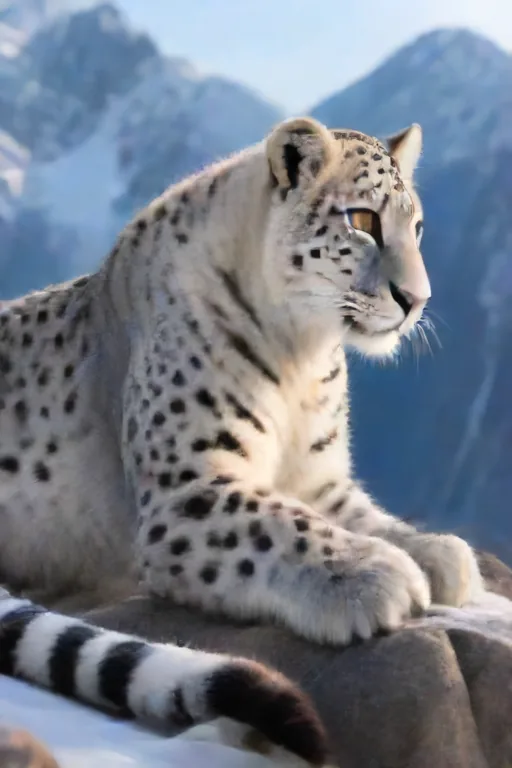
512×768 · 4 steps · 4-bit · seed 1004 · 4.62 s on M1 16 GB
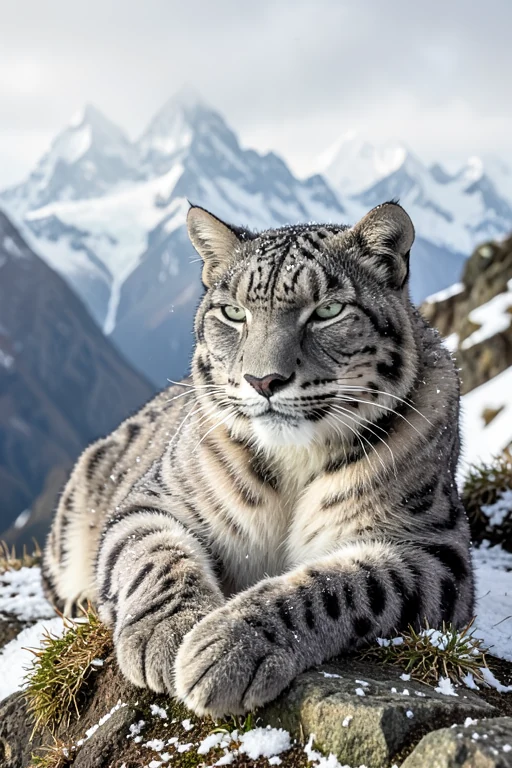
512×768 · 4 steps · 4-bit · seed 1004 · 43.90 s on M1 16 GB
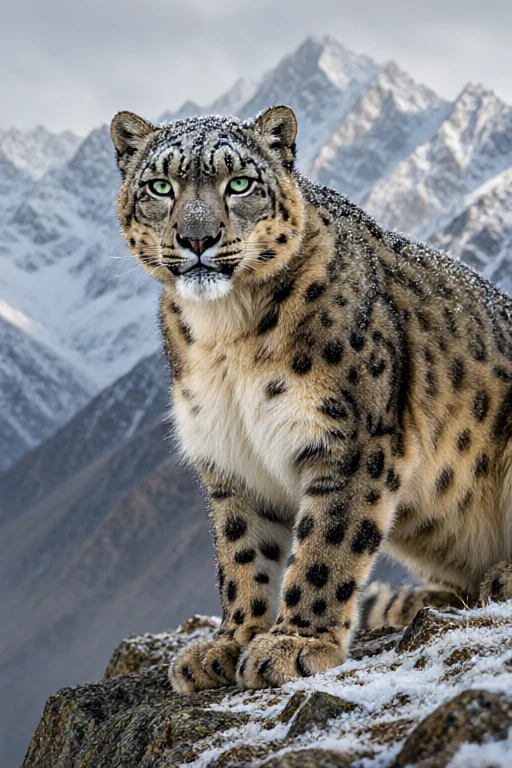
512×768 · 2 steps · 4-bit · seed 1004 · 50.34 s on M1 16 GB
Which Mac FAQ
Which Mac do I need to run Stable Diffusion, SDXL or FLUX locally?
An Apple Silicon Mac (M1 to M6) with macOS 26.2 or later and 16 GB of unified memory. Every model in DiffusionBear, including SDXL, FLUX.1, FLUX.2 Klein 9B and Qwen-Image 2.1, ran on an M1 with 16 GB in the v0.5.1 benchmark.
Can an 8 GB Mac run AI image generation?
DiffusionBear targets 16 GB as its floor; 8 GB is not supported. The operating system, the app and the model share the same unified memory, so failures are likely.
Is a MacBook Air good for local image generation?
An Apple Silicon MacBook Air with 16 GB can run every model in DiffusionBear. It has no fan, so long batches may run slower than on a MacBook Pro or Mac mini; this has not been measured.
Is an M4 or M5 Mac faster than an M1 for image generation?
Newer chips should not be slower, but DiffusionBear has only published measurements for an M1 with 16 GB. We do not publish timings for chips we have not measured.
Should I buy more memory or a faster chip?
Memory first. 16 GB runs every model; 24 GB or more leaves room for the browser and other apps while a 9-10 GB model is loaded. A faster chip only reduces the time per image.