
Model guide · Qwen-Image 2.1 & Turbo
Run Qwen-Image 2.1 on a Mac
Qwen-Image 2.1 runs locally on Apple Silicon in DiffusionBear, a free MIT-licensed Mac app. On an M1 with 16 GB, the 4-bit model with its 2-step DMD2 LoRA generates a 512×768 image in about 55 seconds, and it can output transparent PNGs.
The short answer
Qwen-Image 2.1, 4-bit, 512×768, two steps with the DMD2 LoRA. The LoRA downloads on first use and locks guidance to 1.0. On a 16 GB M1 the benchmark median was 54.60 seconds; Qwen-Image 2.1 Turbo at eight steps took 145.81 seconds.
It is a 7B single-stream DiT with a Qwen3-VL text encoder. In DiffusionBear it accepts one reference image and negative prompts, and can output RGBA images with a transparent background.
What it looks like in DiffusionBear
Pick Qwen-Image 2.1 in the model picker of the Generate tab, type a prompt, and generate. Everything runs on the Mac's own GPU; no account and no cloud.

Qwen-Image examples generated on an M1 Mac
Two outputs from Qwen-Image 2.1 (2 steps + DMD2) and one from Qwen-Image 2.1 Turbo (8 steps).
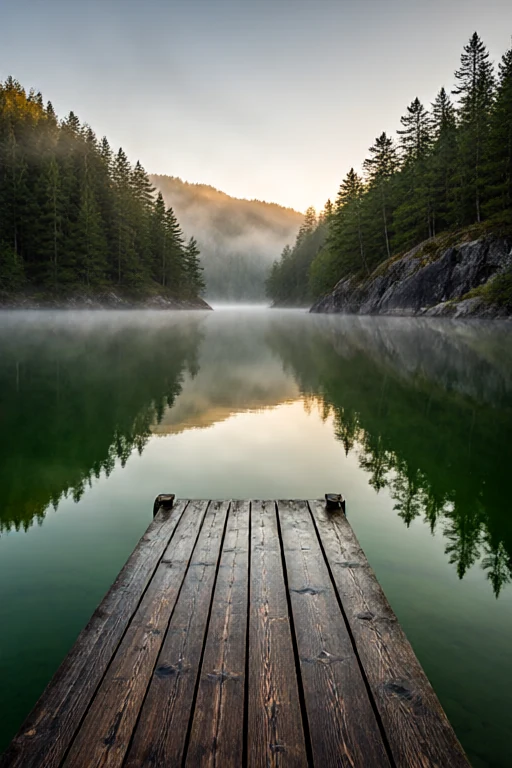
512×768 · 2 steps · 4-bit · seed 1001 · 44.68 s on M1 16 GB
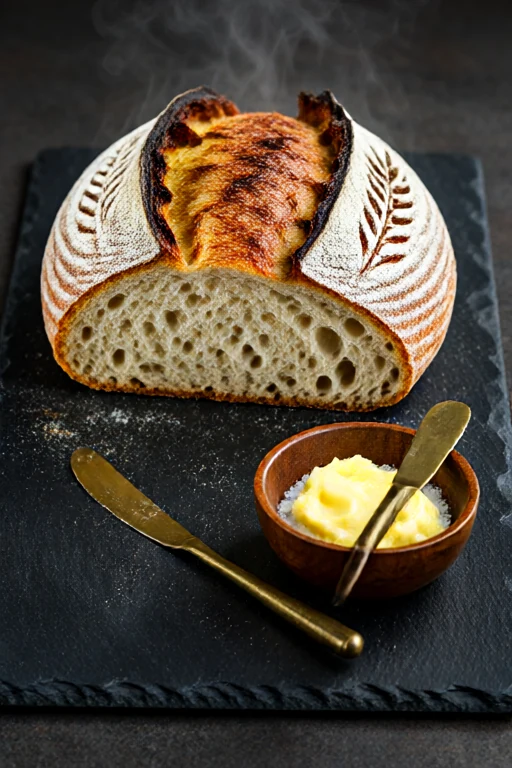
512×768 · 2 steps · 4-bit · seed 1009 · 54.86 s on M1 16 GB
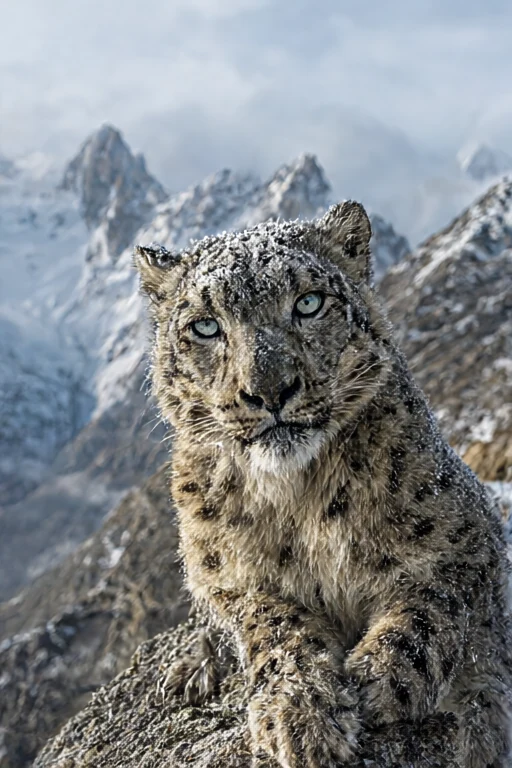
512×768 · 8 steps · 4-bit · seed 1004 · 146.27 s on M1 16 GB
Qwen-Image 2.1 on which Mac?
Memory decides what fits; the chip decides how fast it runs.
| Unified memory | Fit | Notes |
|---|---|---|
| 8 GB | Not supported | Below the 16 GB recommendation. |
| 16 GB (M1, measured) | Works · 54.6 s | Benchmarked configuration for Qwen-Image 2.1. Close memory-heavy apps first. |
| 24 GB and more | More headroom | More headroom for the 9.6–10 GB downloads. Timings not measured. |
How to run Qwen-Image on your Mac
- Download DiffusionBear v0.5.1 and move it to Applications (see install & Gatekeeper).
- Open the Models tab and download Qwen-Image 2.1 (about 9.6 GB).
- In the Generate tab, pick Qwen-Image 2.1, set two steps and 512×768. Turn on alpha transparency in Advanced Settings if you need a cut-out.
- Write the prompt and generate. Keep the seed if you want to reproduce the image.
Qwen-Image on Mac FAQ
Can I run Qwen-Image on a Mac?
Yes. DiffusionBear runs Qwen-Image 2.1, Qwen-Image 2.1 Turbo and Qwen-Image Edit natively on Apple Silicon with 4-bit MLX weights.
How fast is Qwen-Image 2.1 on an M1 Mac?
In the DiffusionBear v0.5.1 benchmark on an M1 with 16 GB, Qwen-Image 2.1 with the 2-step DMD2 LoRA took a median 54.60 seconds per 512x768 image, and Qwen-Image 2.1 Turbo at eight steps took 145.81 seconds. Other chips have not been measured.
Does Qwen-Image 2.1 work on a MacBook Air or Mac mini?
Any Apple Silicon Mac from M1 to M6 with macOS 26.2 or later can run DiffusionBear. 16 GB of unified memory is the recommended floor; 8 GB is not supported. Qwen-Image 2.1 has only been timed on an M1 with 16 GB.
Can Qwen-Image generate transparent images on a Mac?
Yes. Qwen-Image 2.1 and Turbo have an Advanced Settings toggle that forces a fourth alpha channel at generation time, previewed on a checkerboard.
Can I use Qwen-Image 2.1 images commercially?
Qwen-Image 2.1 and Turbo are under the Qwen Research License Agreement; check its terms before commercial use. Qwen-Image Edit is Apache-2.0. See the DiffusionBear licences page.