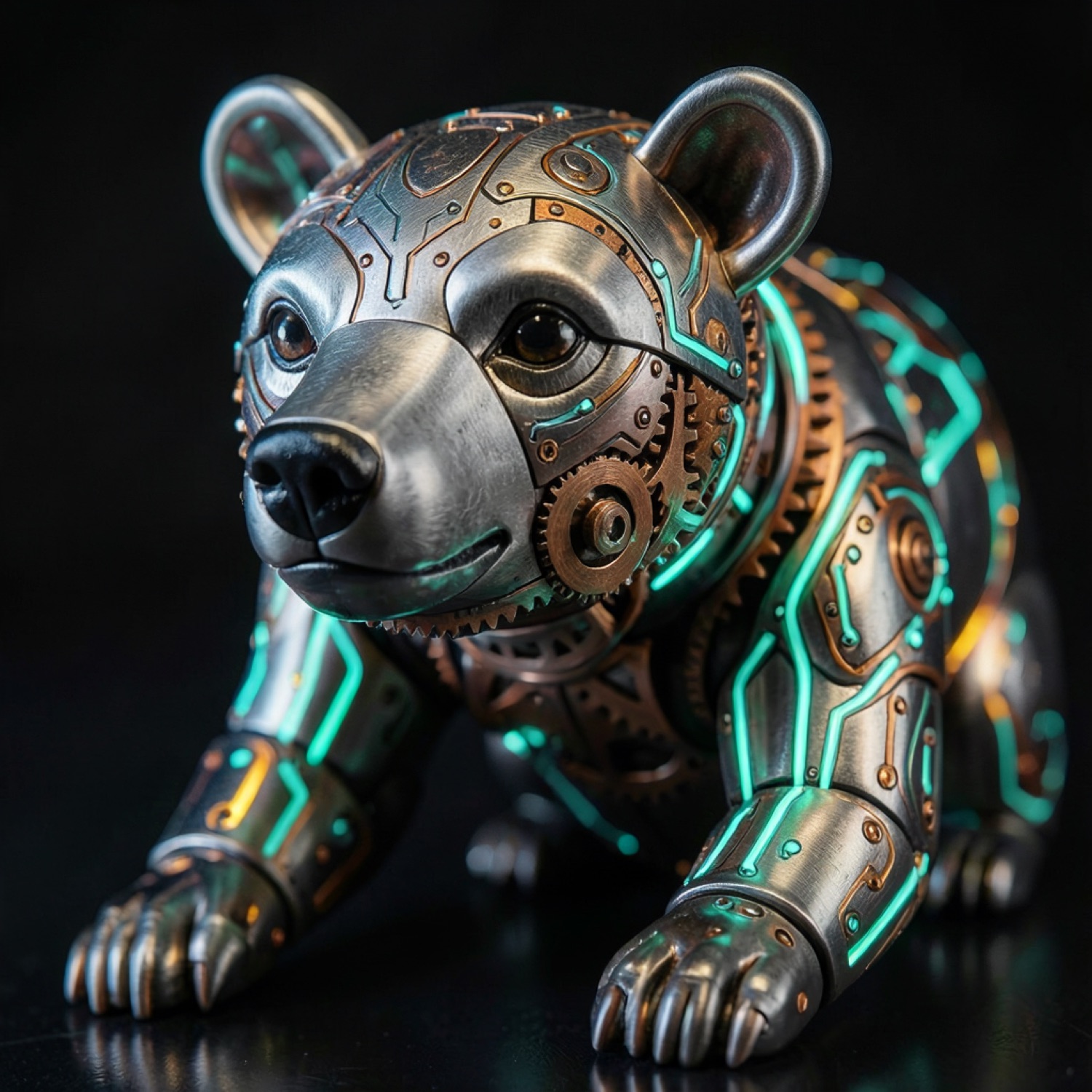
The DiffusionBear app icon: a neon low-poly bear head wearing a visor, traced with cyan and emerald circuit-board lines on dark brushed metal.

v0.3.7 beta beta release

DiffusionBear

Local AI image generation on Apple Silicon.

A free macOS studio that runs FLUX.2, Krea 2, Z-Image, Qwen-Image and SDXL Lightning on your Mac's own Metal GPU. Four-bit quantisation keeps thirteen-billion-parameter models inside 16 GB of unified memory. No account, no credits, no upload — your prompts and your pictures never leave the machine.

Apple Silicon & macOS 26.2+  ·  v0.3.7, ~482 MB  ·  all releases & checksums

Runs on
Your GPU
Metal via MLX. No server, no queue, no round trip.
Fits in
16 GB RAM
Weights 4-bit quantised so 13B models stay resident.
Leaves your Mac
Nothing
No telemetry, no analytics. Works offline after setup.

Why DiffusionBear runs on your machine

  • 100% on-device

    Every pixel is computed on your Mac's Metal GPU. There is no server between you and the image.

  • No account

    No email, no sign-in, no password. Optional tokens for Hugging Face and Civitai make downloads smoother — nothing requires them.

  • No credits

    Unlimited generations. Nothing to buy, no quota, no metered API. It is free software.

  • Nothing uploaded

    No prompts, no reference images, no outputs. There is no telemetry and no analytics in the app.

  • Works offline

    Fetch the weights once, then pull the network cable. Generating, prompt enhancement and the gallery all keep working.

  • Free & MIT

    MIT-licensed and public on GitHub. Read it, fork it, build it yourself — the packaging scripts are in the repo.

The interface

Six screens, one local studio

Everything the app does happens in a window that binds to 127.0.0.1. Here is the whole surface area.

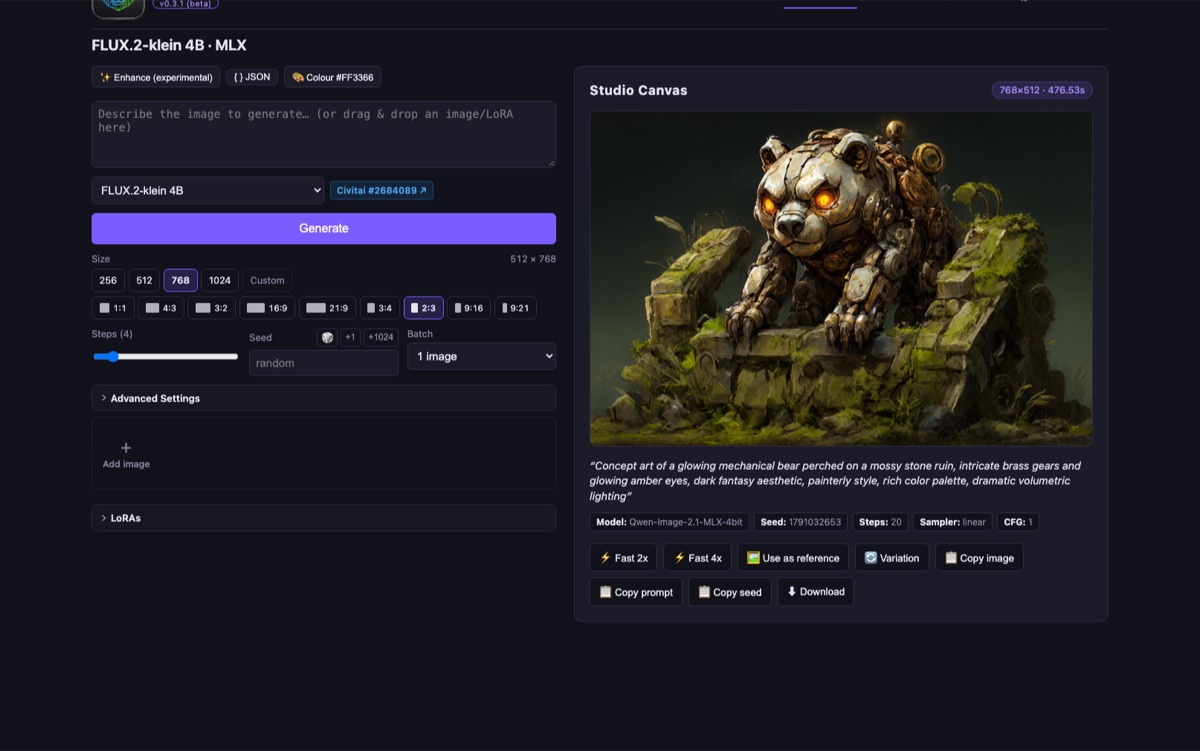
The DiffusionBear Generate tab: an engine dropdown, a prompt box, step and seed controls, and the finished image on a studio canvas.

The Generate tab

Engine, prompt, steps, seed and size in one panel. One job at a time, behind a FIFO queue — deliberately.

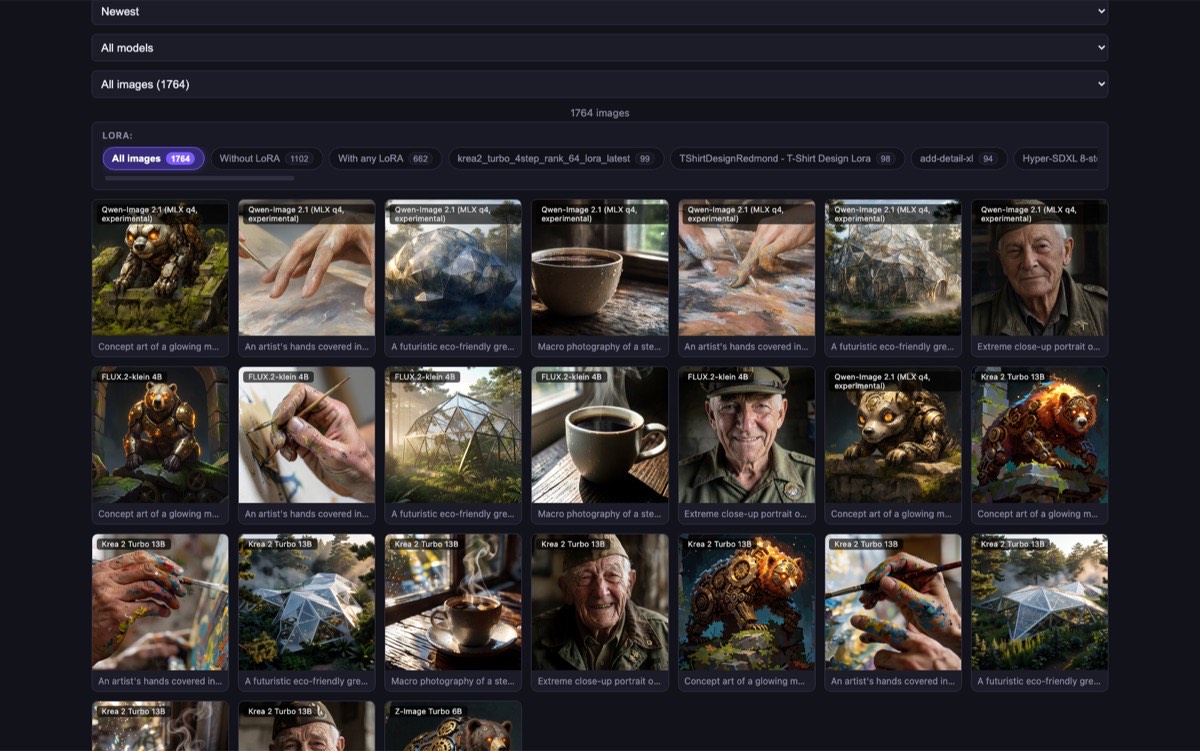
The model browser: a dense grid of generated images with search, tag, model and LoRA filters above them.

The model browser

Hugging Face and Civitai side by side, classified into SDXL / FLUX.2 / Krea 2 / Z-Image, with live download progress and cancel.

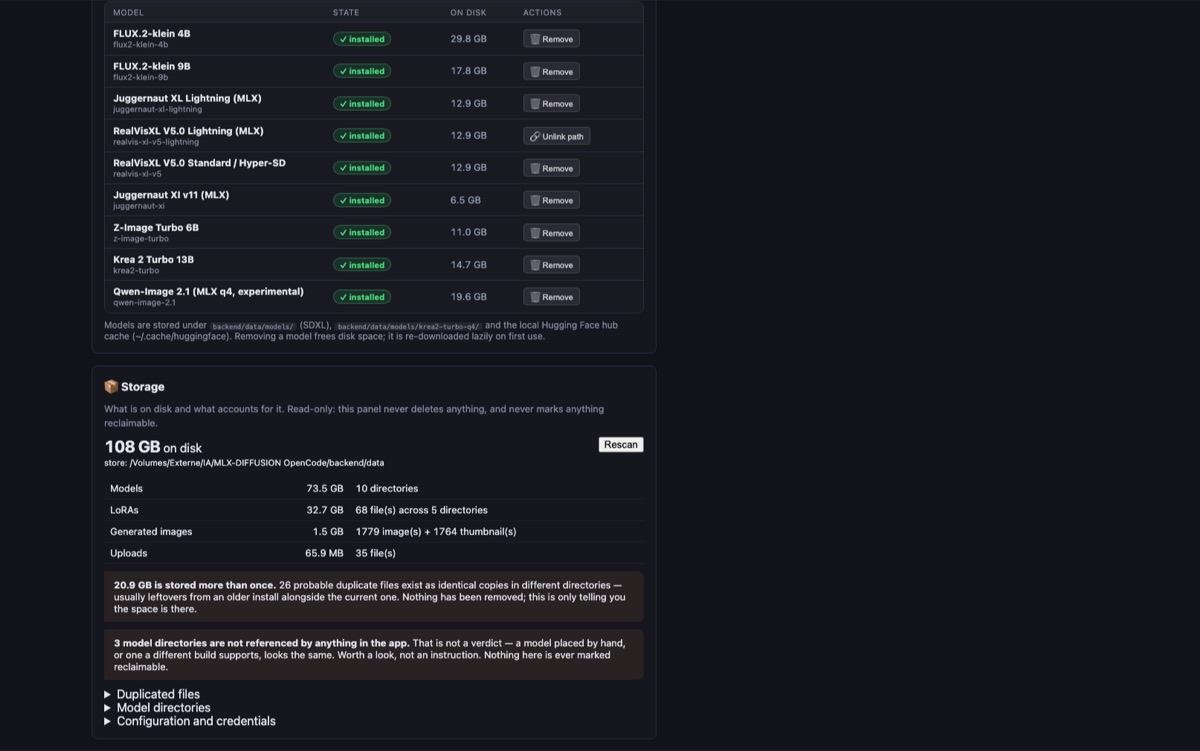
The model manager: a table of installed checkpoints with their on-disk size, install state and remove buttons, plus a disk-usage breakdown.

Model manager

Checkpoints across five families, 4-bit quantised. A model that is present but not runnable says so instead of pretending it is ready.

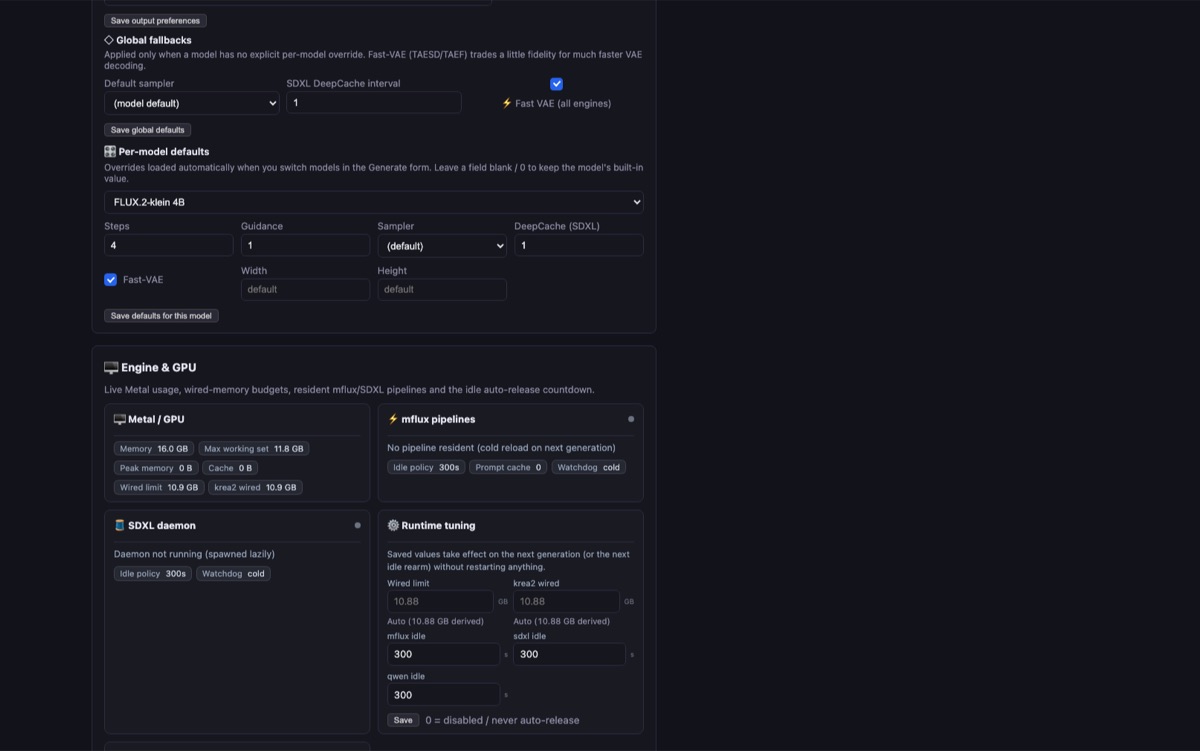
The Parameters tab: interface language, default generation settings, and live Metal GPU telemetry including memory and wired limits.

Parameters

Seeds, guidance, negative prompts where the architecture supports them, and a sampler picker where it matters. Plus live GPU telemetry.

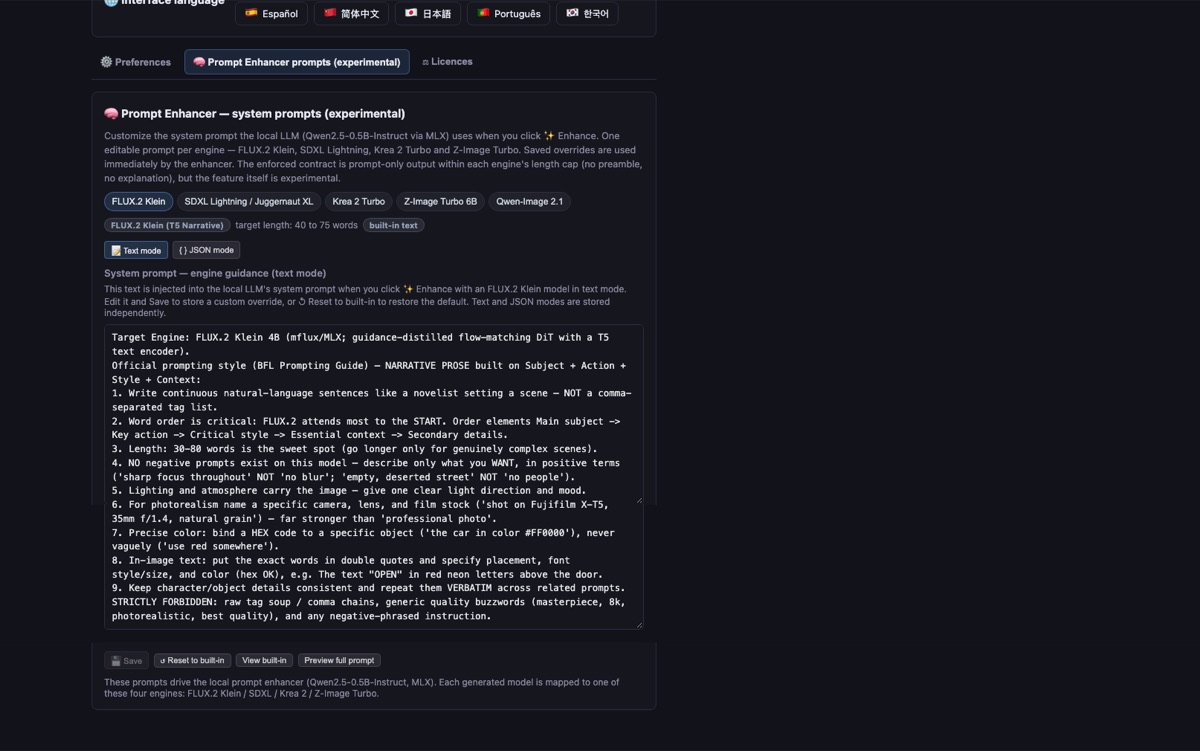
The prompt enhancer tab: an editable system prompt that a local language model uses to rewrite prompts for the selected engine.

Prompt enhancer

A local Qwen2.5-0.5B-Instruct rewrites your prompt for the selected engine — in prose or JSON. Active LoRA trigger words survive verbatim.

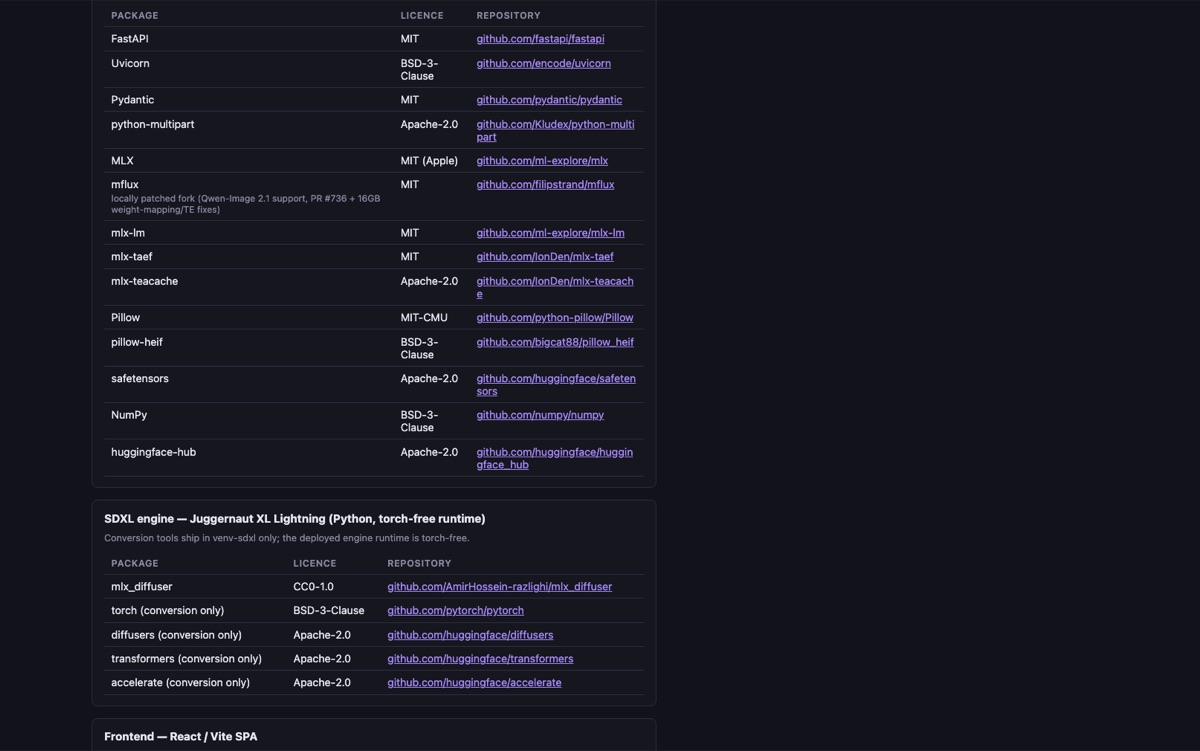
The Licences tab: a table of every bundled software package and every supported model, each with its licence and a link to its repository.

Licences

Every bundled package and every supported model, with its licence spelled out — including which ones are not free for commercial use. The one tab most AI image apps do not have.

Capabilities

What it actually does

Checkpoints across five families, all 4-bit quantised and tuned for 16 GB of unified memory. Switching engine swaps weights on demand rather than keeping everything resident.

Supported models, default step counts and reference-image support
ModelFamilyStepsReference imagesNotes
FLUX.2-klein 4BFLUX.24up to 10Guidance-distilled: no negative prompt. LoRA, guidance and batch.
FLUX.2-klein 9BFLUX.24up to 10Same surface as the 4B, noticeably better detail. Slower.
Krea 2 Turbo 13BKrea 281Photoreal-leaning. Ships with a 4-step distilled LoRA.
Z-Image Turbo 6BZ-Image81Fast and very prompt-faithful.
Qwen-Image 2.1Qwen2–81Experimental. Pixel-budget limited on this hardware.
Juggernaut XL LightningSDXL40Second engine, its own runtime. No reference images.
  • Reference images

    Feed up to ten images on FLUX.2 to steer composition, subject and style at once. The other engines take a single reference.

  • Local prompt enhancer

    A Qwen2.5-0.5B-Instruct model running on the same GPU rewrites your prompt for the engine you picked, in prose or JSON.

  • LoRA support

    Drag a .safetensors onto the window. Trigger words and weights are managed per generation and recorded in the output.

  • Model browser & downloader

    Search Hugging Face and Civitai from inside the app, see exactly what a checkpoint weighs on disk, and download with progress you can cancel.

  • Searchable gallery

    Every image kept with its prompt, seed, model and LoRA. Filter by model, by tag, or by whether a LoRA was used.

  • Live GPU telemetry

    Metal memory, cache size, wired-memory budget and which pipeline is currently resident — with a watchdog that releases it when you go idle.

  • Nine languages

    English, French, German, Italian, Spanish, Simplified Chinese, Japanese, Portuguese and Korean.

  • Honest metadata

    A full licence table for every bundled package and every supported model — including which ones are not free for commercial use.

  • Interruption-proof queue

    Jobs are persisted before they run, so a quit, a crash or a forced restart does not lose queued work. Recoverable on next launch.

Call for testers

Try it, then tell me what broke

DiffusionBear is in beta and I want it in the hands of people who will actually push on it. It is free, MIT-licensed and entirely local, so there is nothing to sign up for and nothing at risk.

The most useful thing you can send back is a failure: a Metal error, a model that will not load, a dimension that runs out of memory, a UI that contradicts itself. That is the whole job right now.

  • Apple Silicon only, 16 GB unified memory recommended. No Intel and no CUDA path — MLX is Metal and macOS only.
  • Ad-hoc signed. Gatekeeper blocks a plain double-click on first launch. Right-click the app, choose Open, then Open again. The warning does not return afterwards.
  • Qwen-Image 2.1 is experimental and capped on this hardware. Krea 2 at 1024×1024 plus a reference image is a known dead end on 16 GB.
  • Model licences vary. FLUX.2-klein and Juggernaut are non-commercial. The app ships a licence table so you can check before you publish anything.
  1. Download the buildGrab the arm64 zip from the releases page and unzip it. You get DiffusionBear.app — no installer, no admin rights.
  2. Open it the first timeRight-click → Open → Open. macOS will say it cannot verify the app; that is expected for an unsigned build.
  3. Pick an engine and download itThe Models tab has the downloader built in. Start with Z-Image Turbo 6B — small, fast, and it proves the whole pipeline.
  4. Generate somethingFour steps is usually enough on the turbo models. Watch the Metal readout under Parameters if it feels slow or hot.
  5. Report what went wrongOpen an issue with your macOS version, your chip and the exact error text. Metal errors are the most valuable ones.

Questions

The things people ask first

Does DiffusionBear need an internet connection?

Only once, to fetch the model weights. Model files are a few GB for the first model and are cached locally. After that the app generates, enhances prompts and manages LoRAs fully offline — unplug the network and it keeps working.

Do I need an account, and does it cost anything?

No account and no cost. DiffusionBear is MIT-licensed, there are no credits and there is nothing to buy. Two optional tokens — a Hugging Face token and a Civitai API key — make downloads smoother and unlock gated models, but nothing requires them.

Do my prompts and images ever leave my computer?

No. There is no telemetry, no analytics and no network call at generation time. Generation, prompt enhancement and the gallery are all local. The only moment anything is transmitted is when you explicitly download model weights or export an image somewhere.

Which Macs can run DiffusionBear?

Apple Silicon Macs only, on macOS 26.2 or later. It is built on Apple's MLX framework, which is Metal and macOS exclusive, so there is no CUDA or CPU fallback. 16 GB of unified memory is the realistic floor; weights are 4-bit quantised so that a 4B to 13B model fits.

Is it safe to open DiffusionBear on macOS?

It is ad-hoc signed rather than notarised with an Apple Developer ID, so Gatekeeper blocks a plain double-click on first launch with “Apple cannot check it for malicious software”. Right-click the app, choose Open, then Open again. The warning does not return on later launches.

Can I use the images commercially?

That depends on the model, not on the app. Krea 2, Z-Image and Qwen-Image are Apache-2.0. FLUX.2-klein and Juggernaut XL Lightning are licensed non-commercially. The Licences tab in the app spells out the terms for every model it can run — check it before publishing.

Why is it called DiffusionBear? Are you related to DiffusionBee?

This project started life as MLX-Diffusion and was renamed to DiffusionBear in October 2026. The new name is an homage to DiffusionBee — the app that made local image generation on a Mac feel effortless. Its author has been a long-time DiffusionBee user and fan, and with DiffusionBee's development stopping in 2024 the field was left wide open for something new. To be completely clear: DiffusionBee is the work of divamgupta and its contributors. DiffusionBear is an independent and unrelated project — not a fork, not a continuation, and not affiliated with, sponsored by or endorsed by DiffusionBee or its authors. The two are also licensed differently: DiffusionBee is AGPL-3.0, DiffusionBear is MIT.